Blendit: One-Click Revit → Blender Rendering
A free, open-source bridge that renders a Revit view in Blender from a single button — photoreal, white-card, sun studies and hand-drawn styles, with procedural skies and vector export, all pre-configured.
Blendit is a free, open-source tool I built to close the gap between Revit and Blender. One button in Revit exports the current 3D view to Blender with materials, lighting, camera framing and render settings already configured — turning archviz from an afternoon of setup into a single click. It’s my answer to expensive, closed rendering plug-ins: an Enscape-style workflow that stays open and scriptable.
A bridge, not an embed

The design decision that shapes everything is that Blender runs as a separate process rather than embedded inside Revit. Revit stays light; the heavy lifting happens in Blender. The two sides talk over a small contract: Revit bundles the view as a glTF/GLB with a manifest of materials, sun position and camera, and Blender rebuilds the scene from it. A model cache means the second and third renders of the same project open almost instantly.
Nine render modes
Blendit isn’t just photoreal. From the same Revit view you can produce:
- Photoreal — full Cycles path-tracing with a procedural material library.
- White-card / clay — massing studies stripped back to form and shadow.
- Sun-accurate shadow studies — real sun vectors from the project’s location and true north.
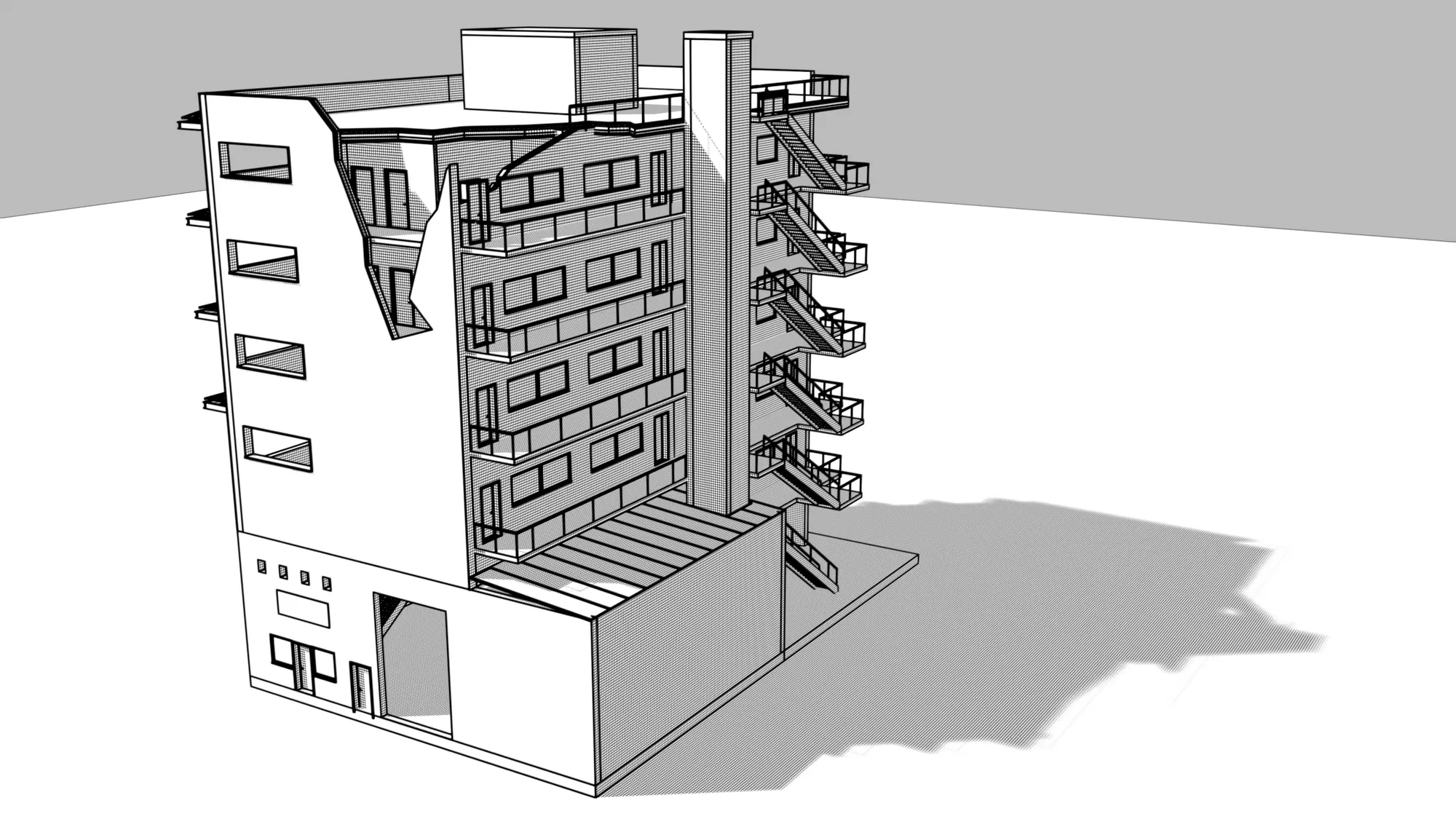
- Hand-drawn styles — linework, pen, sketch, cel and a perspective-converging hatch mode, all non-photorealistic line art.
The NPR line work can be baked and cached for speed, and exported as editable vector SVG/PDF with real paths — so a drawing can go straight into Illustrator or a layout, not just a flat raster.
Sky and atmosphere
Because renders live and die by their environment, Blendit ships a procedural sky: a dynamic sun with time-of-day control, seven types of volumetric clouds, and a 360° storm-ring mode for dramatic weather. It’s all procedural, so nothing depends on sourced HDRIs or external assets.
Engineering notes
Blendit is 100% Python across a deliberately split stack: IronPython inside Revit via the pyRevit framework, and CPython with bpy on the Blender side. Keeping the render engine out-of-process means a crash or a long bake never touches the Revit session, and the Blender half can be developed, tested and versioned on its own. An interactive review session handles camera composition and framing, with two-point perspective correction and orthographic options for clean elevations.
Status
Blendit reached v1.0.0 in June 2026 — functional and production-ready, released under the MIT license at github.com/lewismconte/blendit. It runs on Windows with Revit + pyRevit and any Blender 4.2 or newer. On the roadmap: a live delta-sync link, a parametric entourage library, richer materials, animation and HDRI skies.